
SAQA VPN
on iPhone and iPad
Connect SAQA with Happ, INCY or Wrabbit Proxy. Pick an app and follow the steps.
Before you connect
- You need an active SAQA VPN subscription — get one and your key in our bot.
- Before connecting for the first time, turn off other VPN apps and the system proxy.
- Your key is personal: don't share it or show it in screenshots.
Connect with Happ
- 1
Install Happ Proxy Utility
Download Happ Proxy Utility from the App Store. It's free.
Tip: Happ not available in your App Store? Switch to INCY or Wrabbit Proxy above.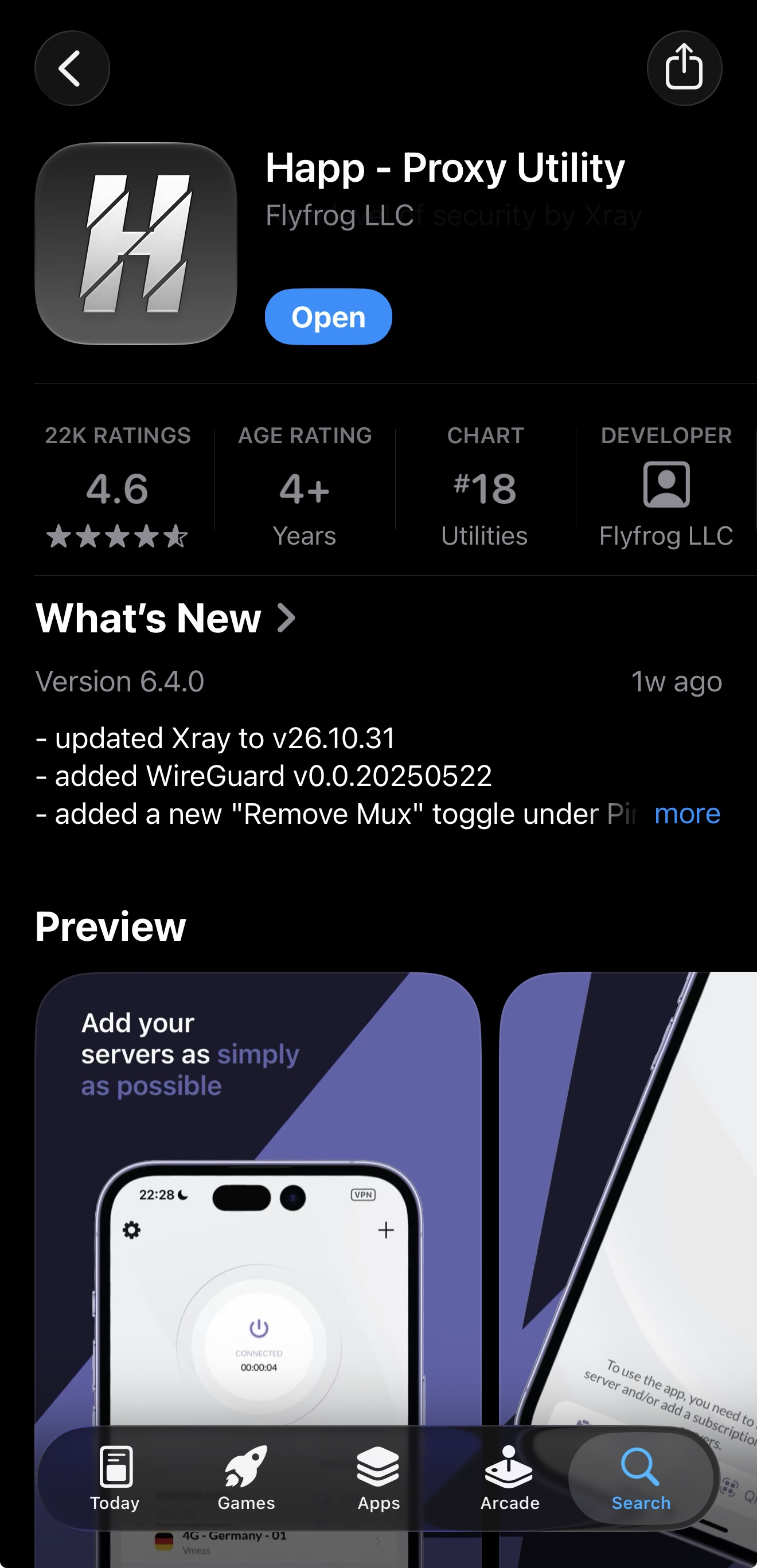 Screenshot placeholder
img/iphone-happ-1.png - 2
Copy your connection key
Open the SAQA bot in Telegram, go to Мои активные подписки (My active subscriptions) and tap the subscription link — it will be copied in full.
Tip: Copy the whole link and don't change anything in it.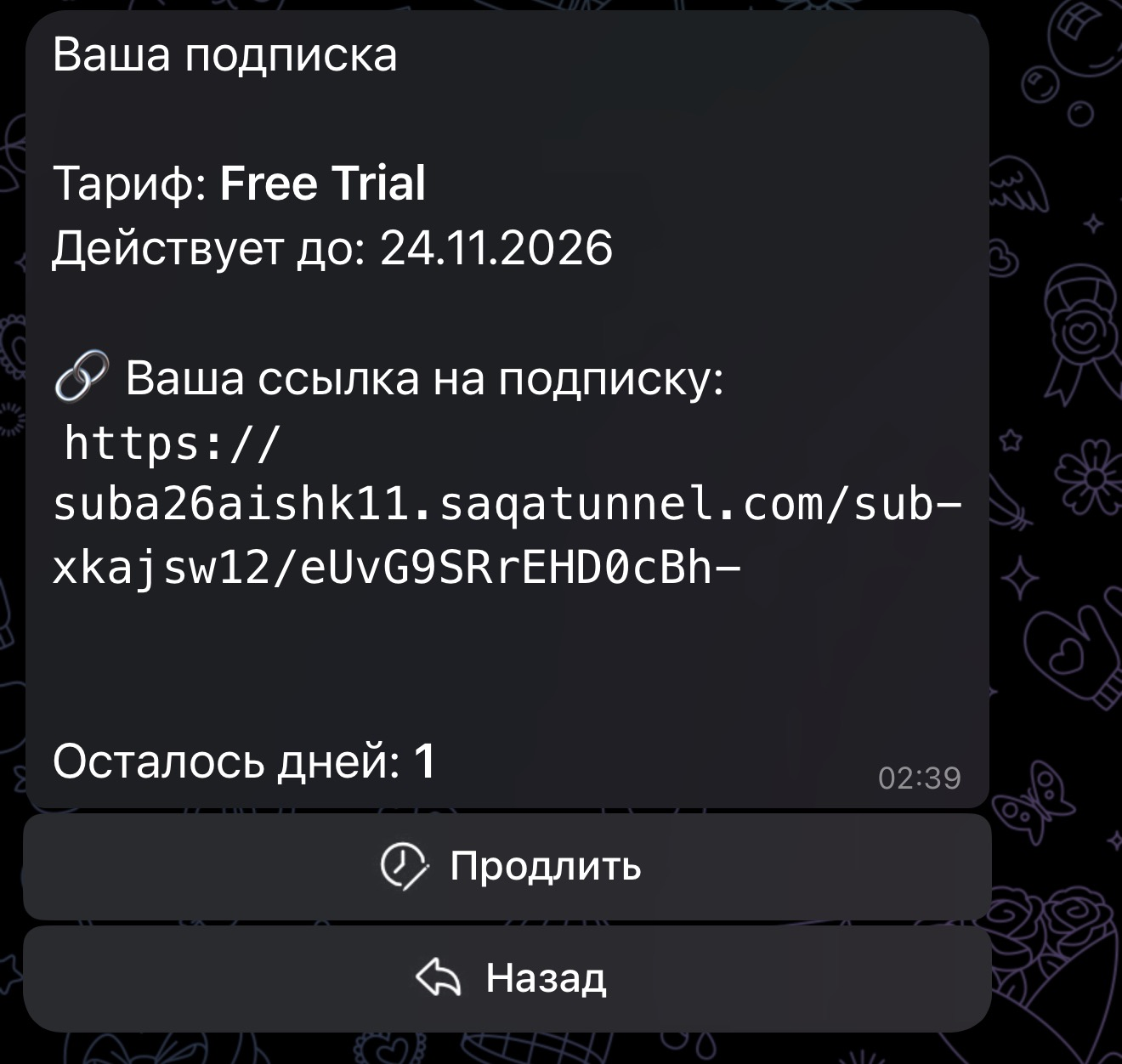 Screenshot placeholder
img/iphone-happ-2.png - 3
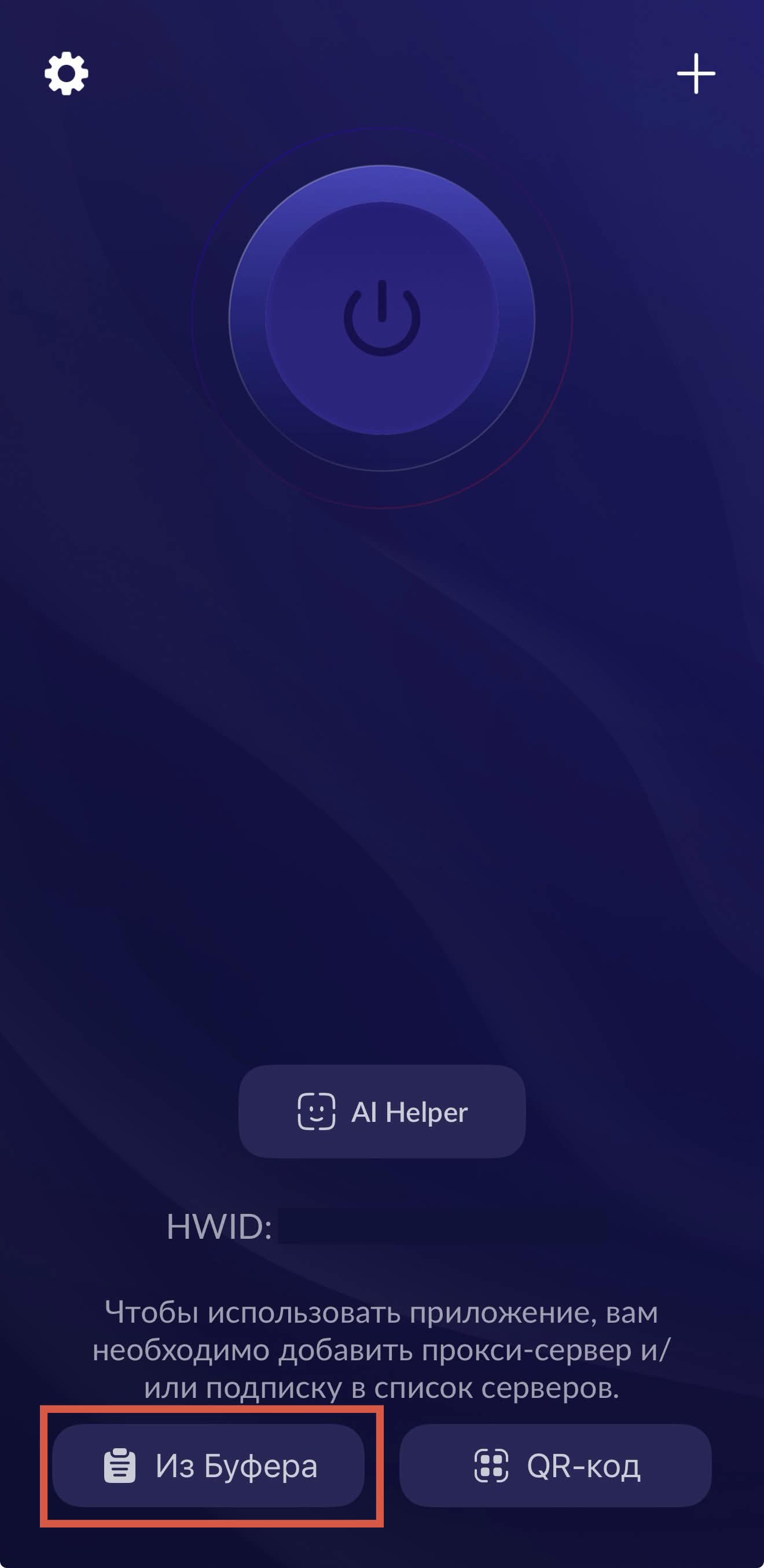
Add the subscription
Open Happ and tap From clipboard. If iPhone asks for permission to paste, tap Allow Paste.
 Screenshot placeholder
img/iphone-happ-3.png - 4
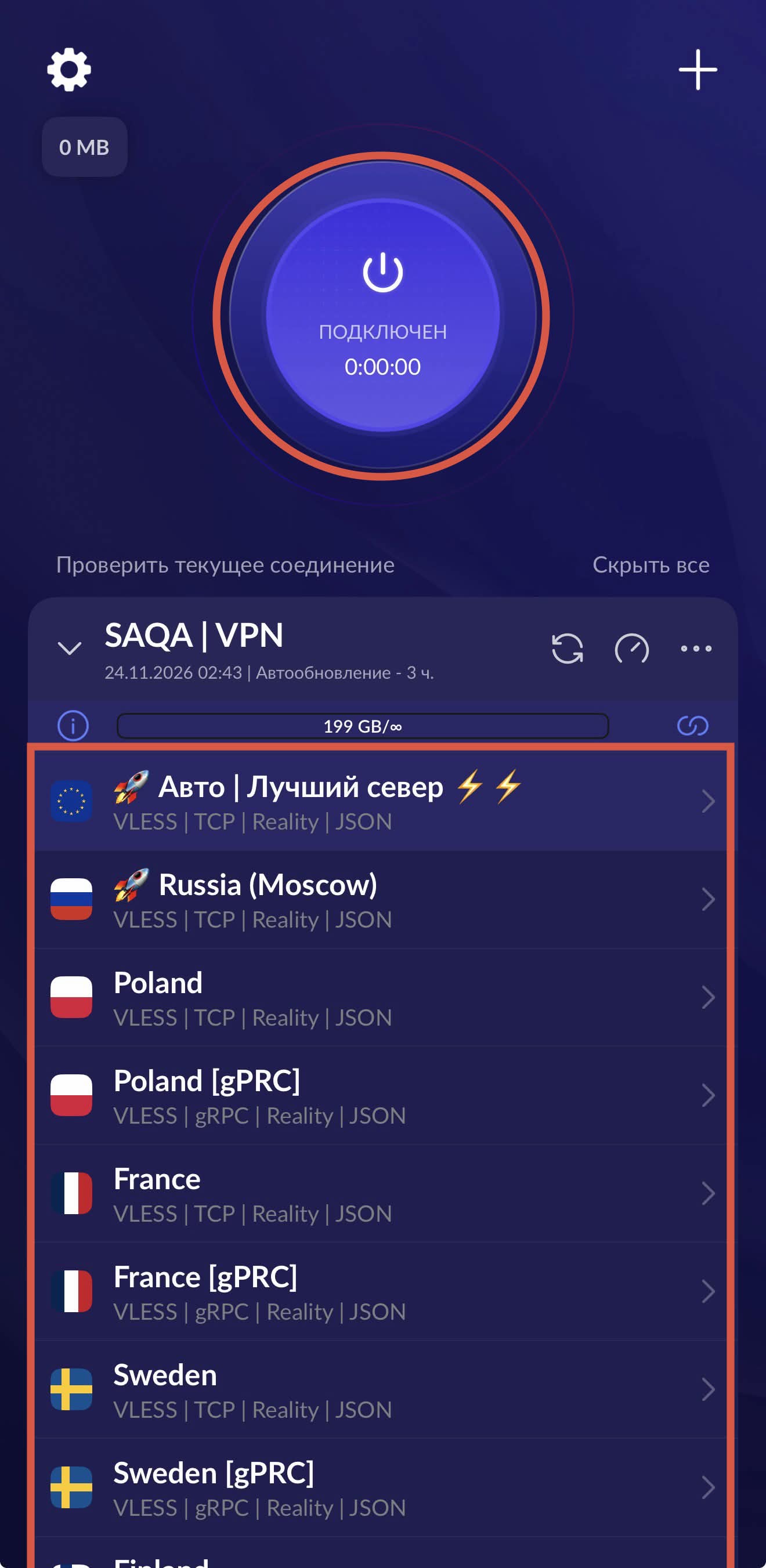
Connect
Pick a SAQA server from the list and tap the round power button at the top of the screen.
On first connection iPhone will ask to add a VPN configuration — tap Allow and confirm with your passcode or Face ID.
 Screenshot placeholder
img/iphone-happ-4.png - 5
Turn on auto-update optional
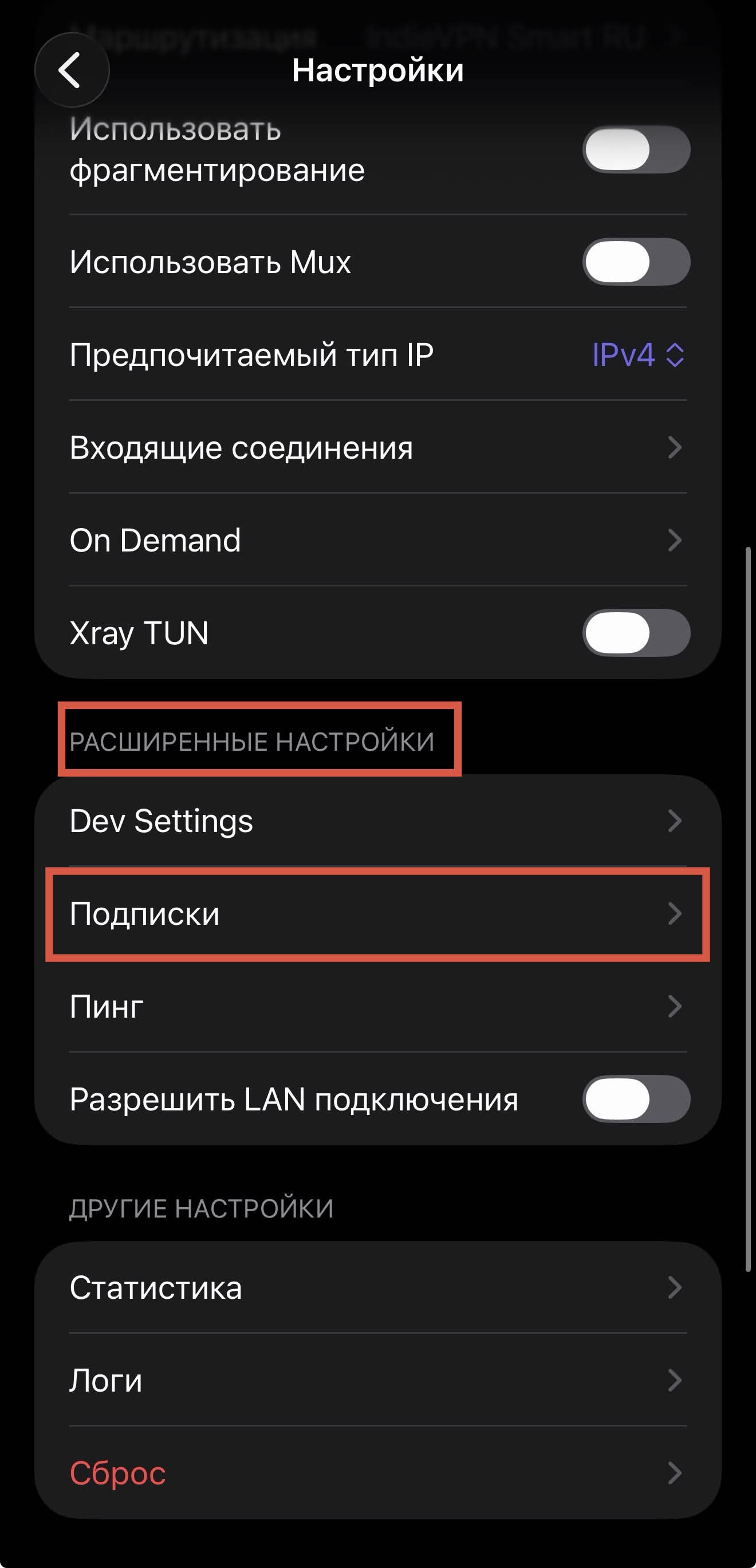
Gear icon → Advanced settings → Subscriptions. Turn on Auto update, set the interval to 1 h and turn on Update on open — this keeps the SAQA server list fresh.
Also in iPhone Settings: General → Background App Refresh → Wi-Fi & Cellular Data, with Happ switched on.
 Screenshot placeholder
img/iphone-happ-5.png
Done — you're connected to SAQA
Next time just open the app and tap the connect button.
Connect with INCY
- 1
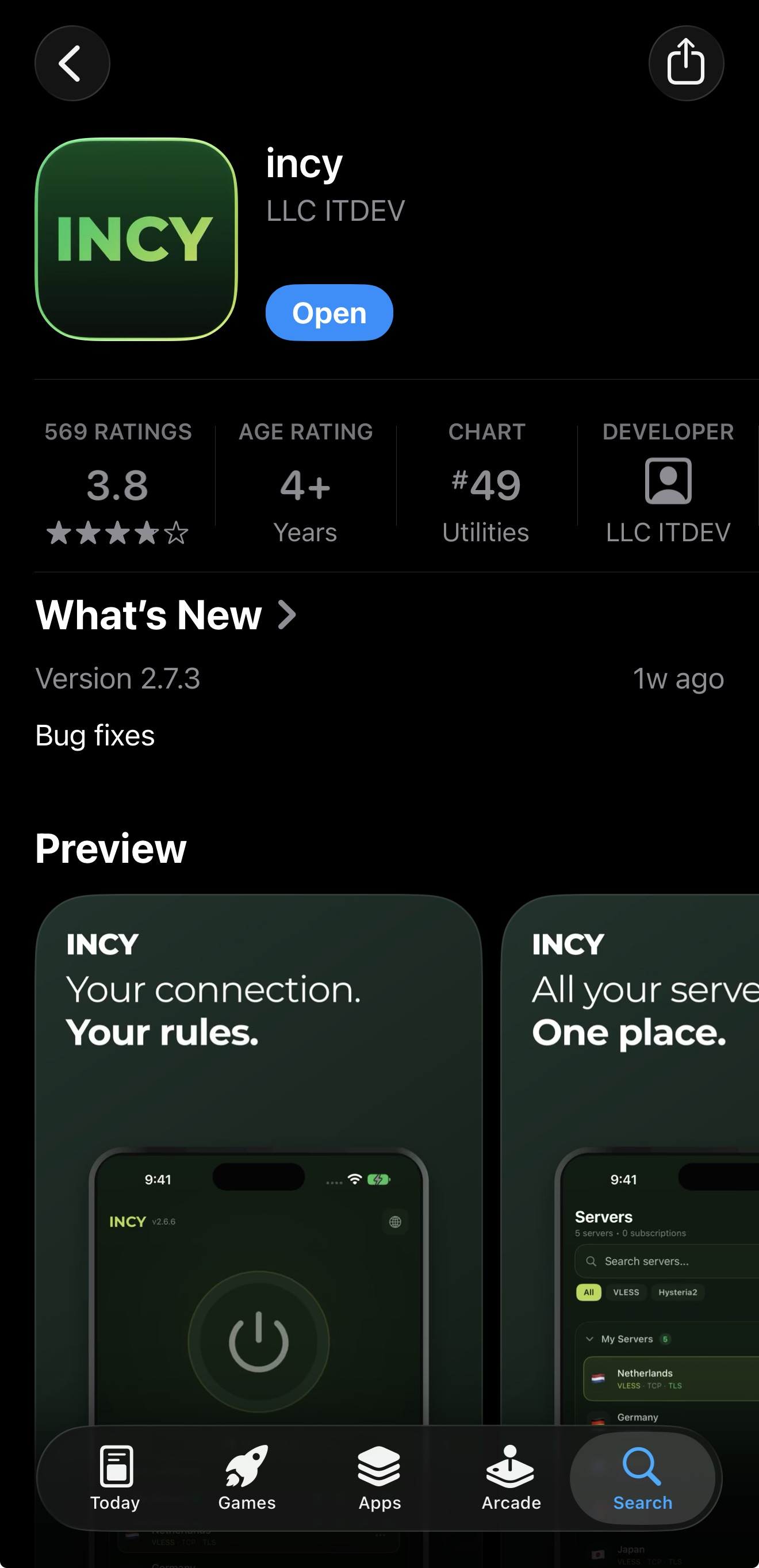
Install INCY
Download INCY from the App Store.
 Screenshot placeholder
img/iphone-incy-1.png - 2
Copy your connection key
Open the SAQA bot in Telegram, go to Мои активные подписки (My active subscriptions) and tap the subscription link — it will be copied in full.
Tip: Copy the whole link and don't change anything in it.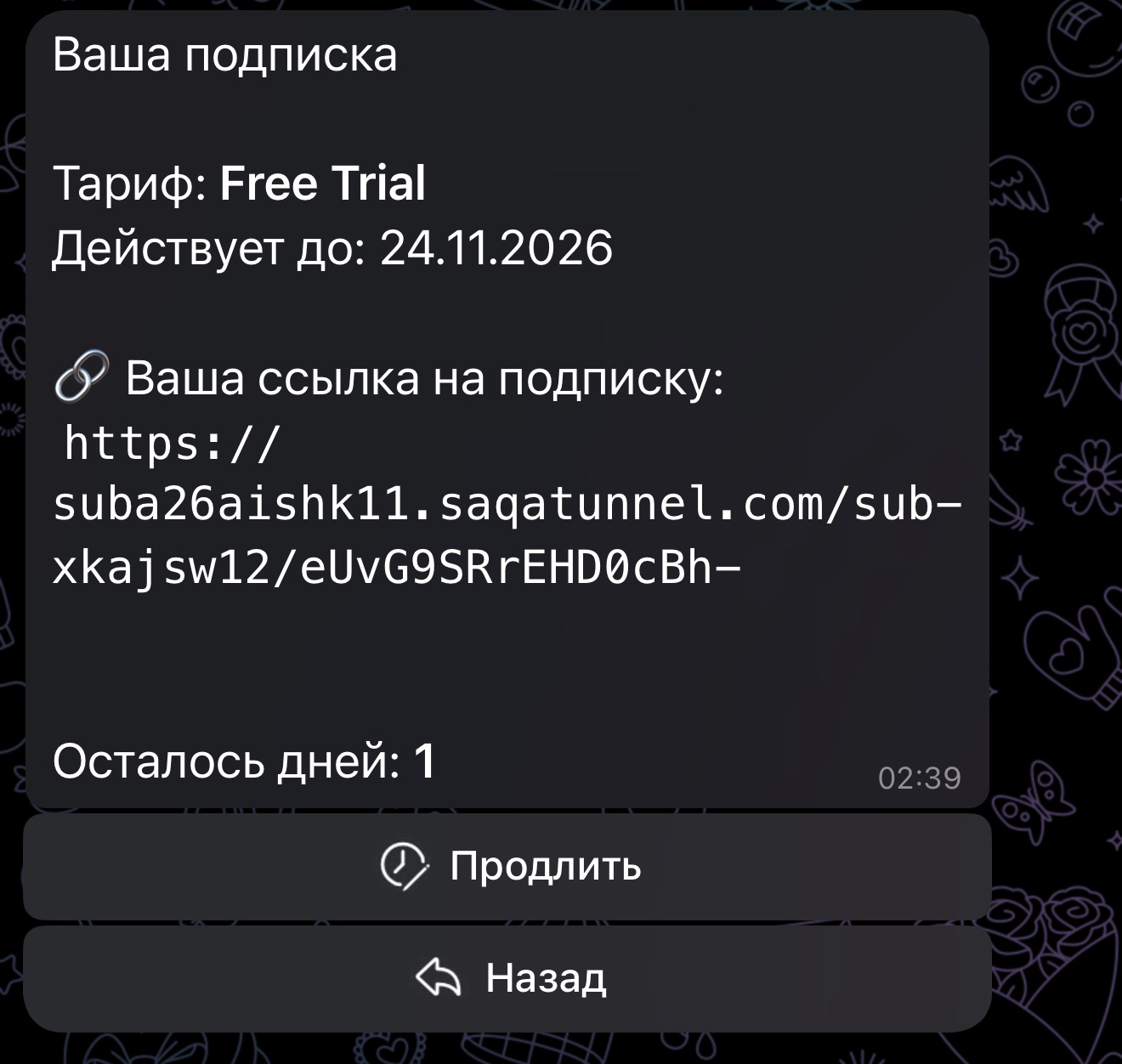 Screenshot placeholder
img/iphone-incy-2.png - 3
Add the subscription
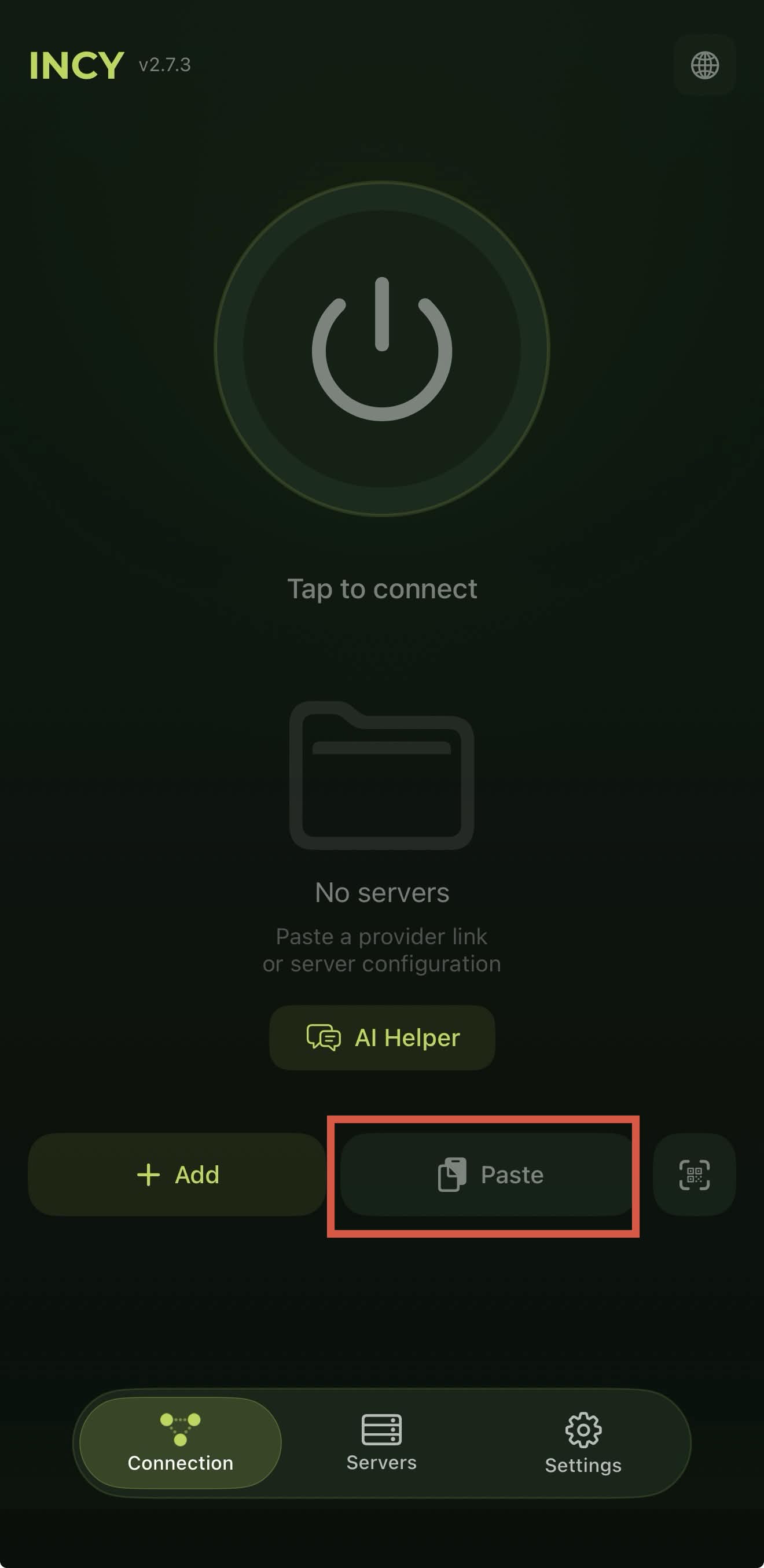
On the INCY home screen tap Paste and allow pasting if iPhone asks.
 Screenshot placeholder
img/iphone-incy-3.png - 4
Connect
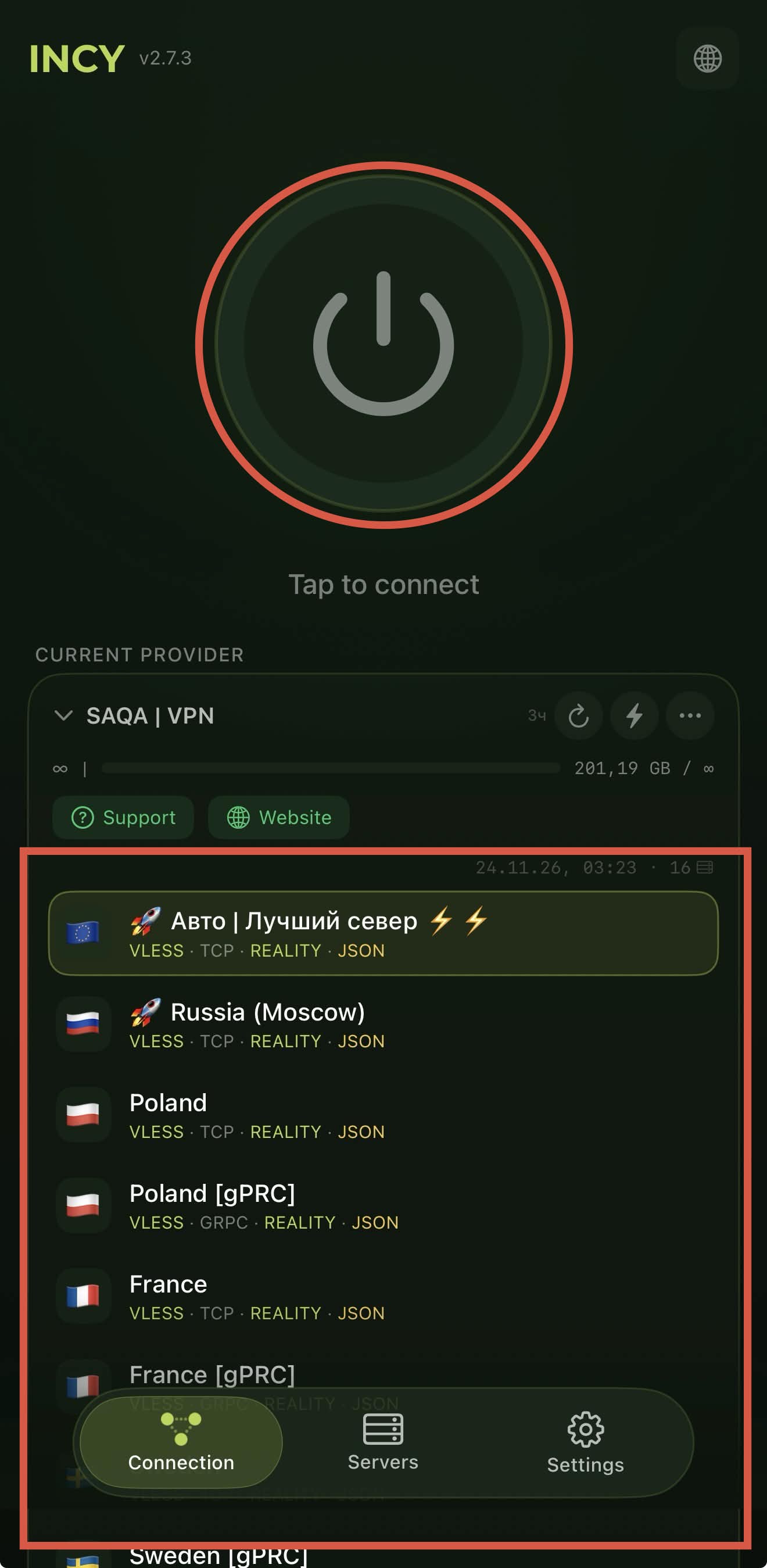
Wait for the SAQA servers to load, pick a location and tap the big connect button.
On first connection tap Allow and confirm the system prompt.
 Screenshot placeholder
img/iphone-incy-4.png - 5
Set up ping optional
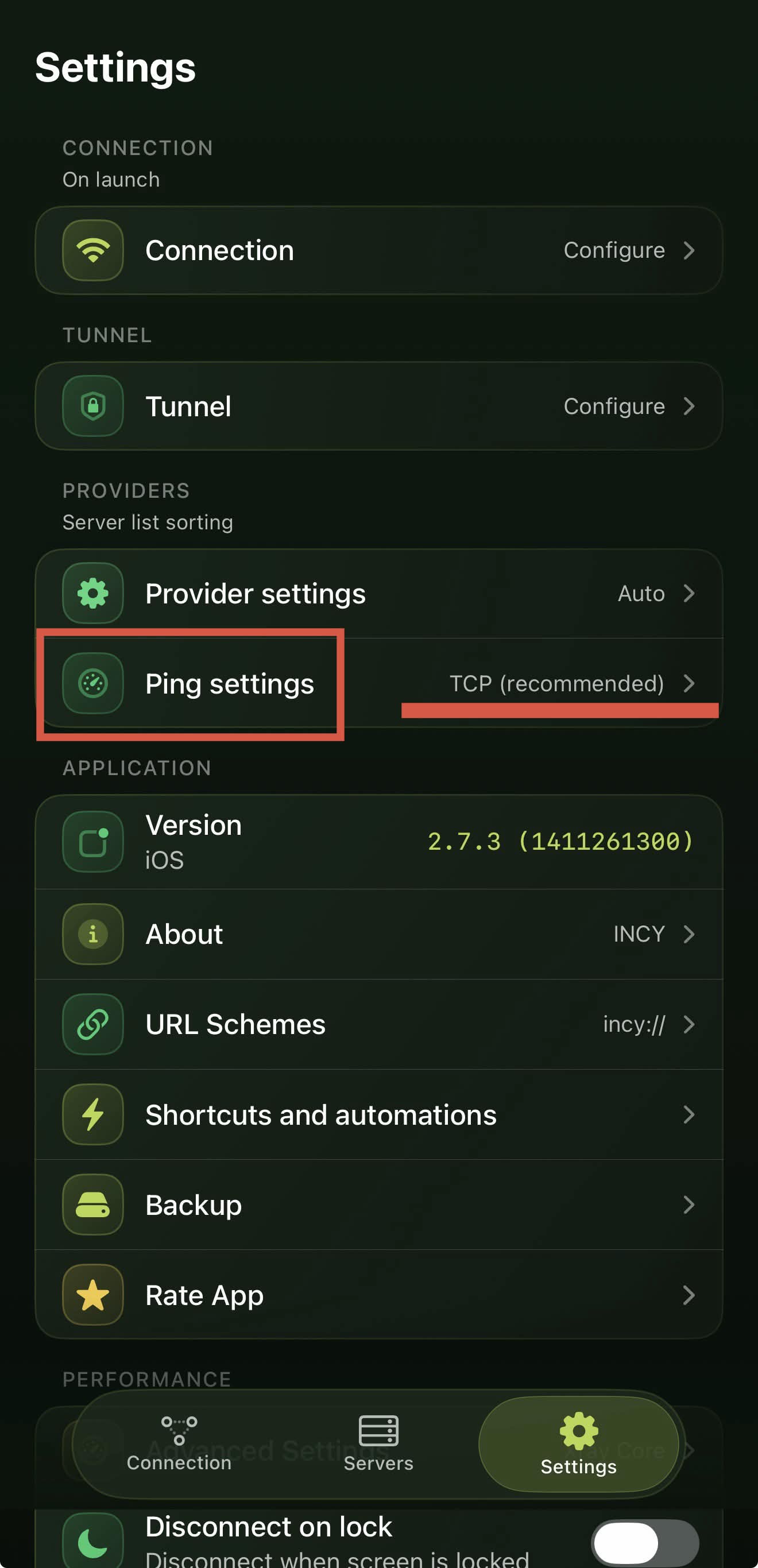
Settings → Ping settings → Ping protocols → choose TCP. This shows server latency more accurately.
 Screenshot placeholder
img/iphone-incy-5.png
Done — you're connected to SAQA
Next time just open the app and tap the connect button.
Connect with Wrabbit Proxy
- 1
Install Wrabbit Proxy
Download Wrabbit Proxy from the App Store. Requires iOS / iPadOS 16 or later.
 Screenshot placeholder
img/iphone-wrabbit-1.png - 2
Copy your connection key
Open the SAQA bot in Telegram, go to Мои активные подписки (My active subscriptions) and tap the subscription link — it will be copied in full.
Tip: Copy the whole link and don't change anything in it. Screenshot placeholder
img/iphone-wrabbit-2.png - 3
Add the subscription
Tap + in the top-right corner → Paste from clipboard and allow pasting.
Tip: Didn't work? + → Add by link, paste the whole key and confirm. Screenshot placeholder
img/iphone-wrabbit-3.png - 4
Choose a server
Tap the server name line under the connect button. In Servers choose a location or Auto.
 Screenshot placeholder
img/iphone-wrabbit-4.png - 5
Connect
Go back to the home screen, tap Connect, then Allow in the VPN configuration prompt. The status will change to Connected.
Tip: No servers? Import the key again. VPN won't turn on? Pick another location or Auto mode.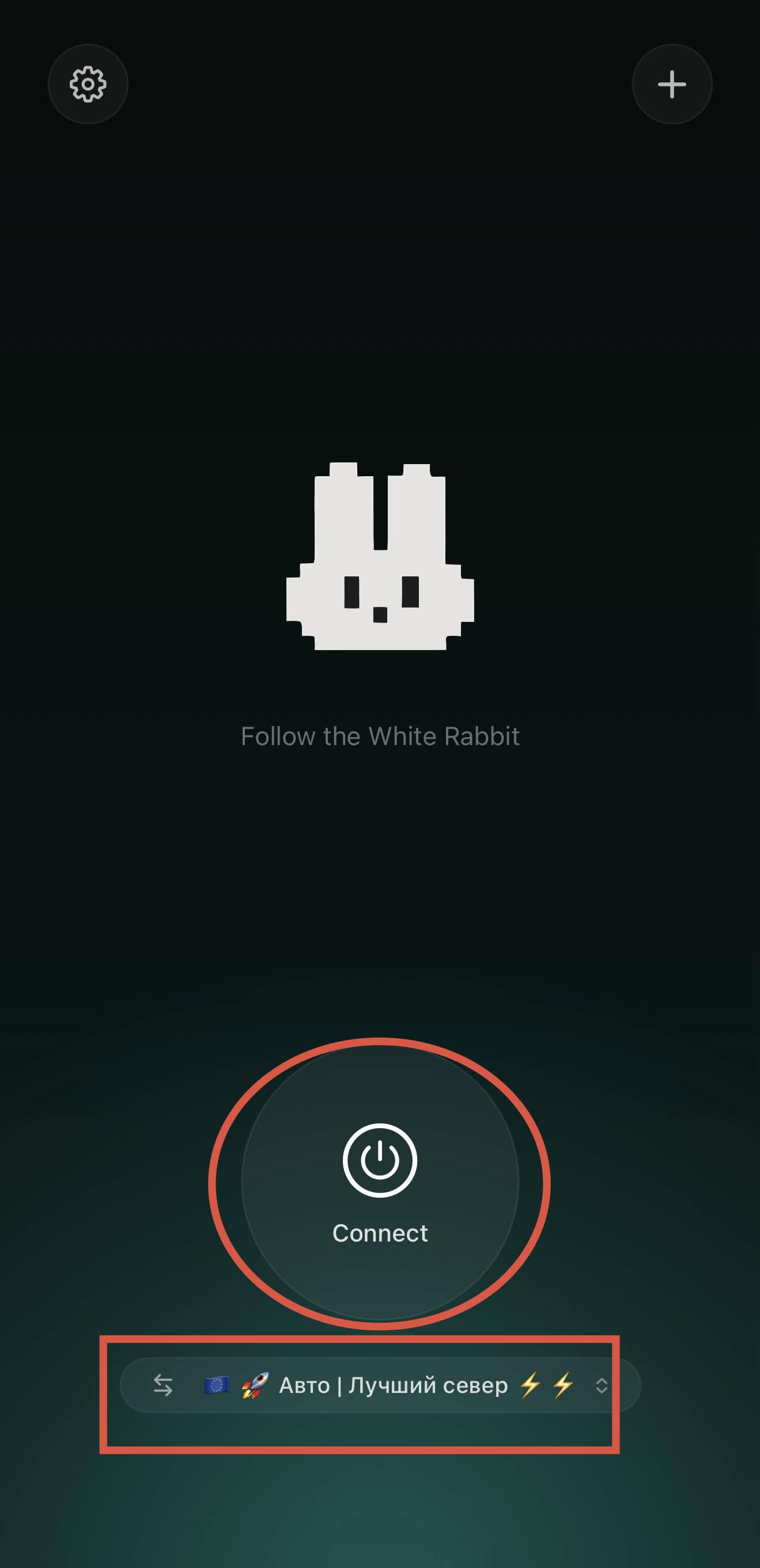 Screenshot placeholder
img/iphone-wrabbit-5.png
Done — you're connected to SAQA
Next time just open the app and tap the connect button.
Where do I get the connection key?
In the SAQA bot → «Мои активные подписки» (My active subscriptions). Tap the subscription link to copy it — copy it in full.
No servers appeared after pasting the key
Most likely the key wasn't copied in full. Copy it from the bot again and re-add the subscription.
Check in the bot that your subscription is active.
VPN won't turn on or sites won't load
Turn off other VPN apps and the system proxy.
Refresh the subscription in the app and pick another server.
Still not working? Toggle Wi-Fi / mobile data and connect again.
Happ isn't in the App Store
On iPhone and iPad you can use INCY or Wrabbit Proxy — your SAQA key works the same way. INCY guide.
Can I use it on several devices?
The number of devices depends on your plan — see it in the bot. On each device, add the key following that device's guide.
Couldn't connect?
Message SAQA support: tell us your device and the step where it went wrong.